H5 Product
pnpm dlx @varo-ui/cli add --target h5 components/buttonInstalls editable Vue component source and dependencies into the product repository.


This is Varo’s public cross-runtime showcase: choose an adoption path first, then distinguish live browser interaction, a browser-rendered Weapp contract preview, and compiled evidence from WeChat DevTools. Repository playgrounds remain maintainer QA surfaces, not the public installation path.
pnpm dlx @varo-ui/cli add --target h5 components/buttonInstalls editable Vue component source and dependencies into the product repository.
pnpm dlx @varo-ui/cli add --target weapp components/buttonInstalls target-specific, WXML-safe Wevu SFC source and dependencies into the product repository.
pnpm add @varo-ui/h5Consumes the published package when coordinated upgrades are intentional.
Registry installation is the default path. Start with the installation guide, then generate source for the selected target.
The components below are directly operable. H5 runs real @varo-ui/h5 browser components; switching target is explicitly labelled Weapp Contract Preview so the browser-rendered API and visual contract is not mistaken for the mini-program runtime.
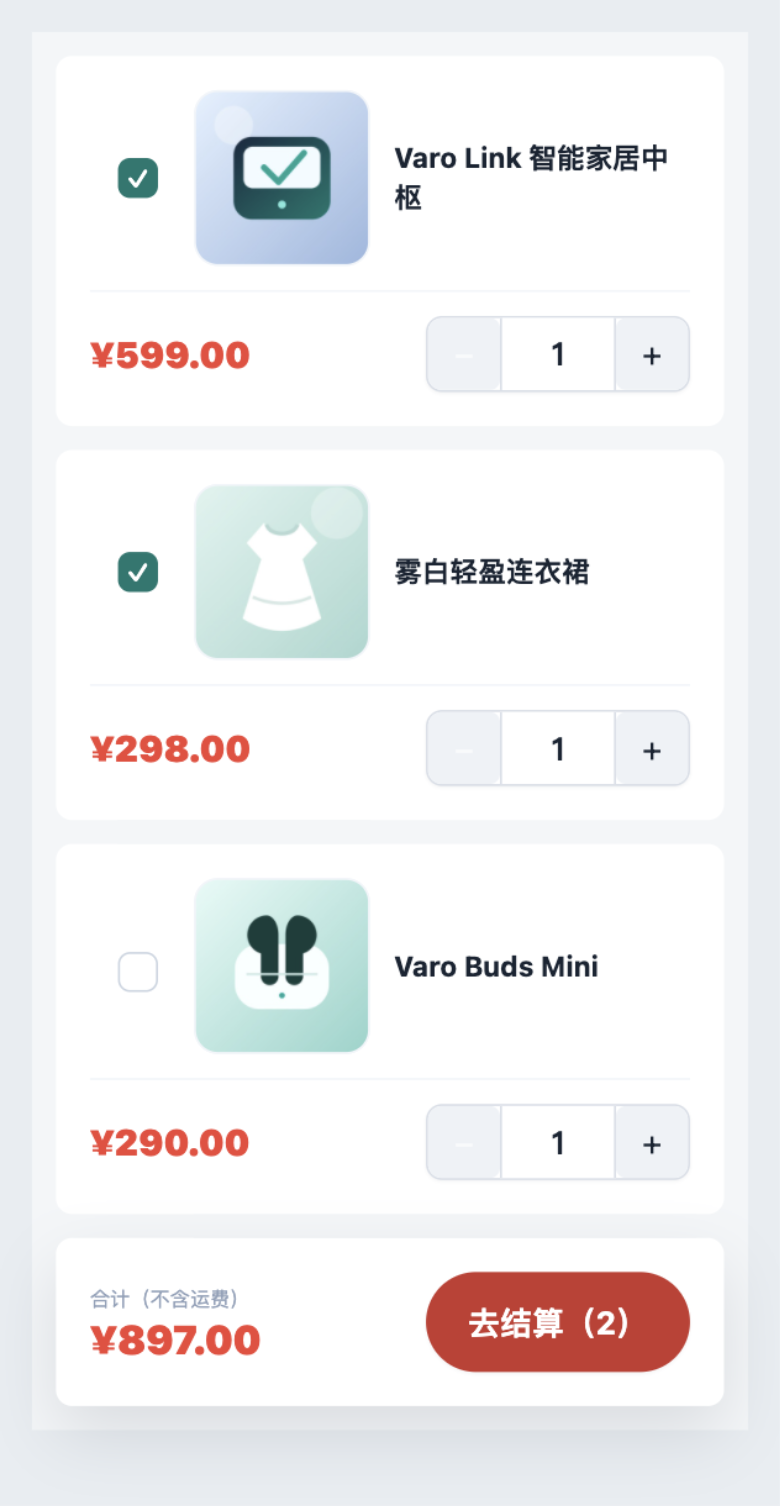
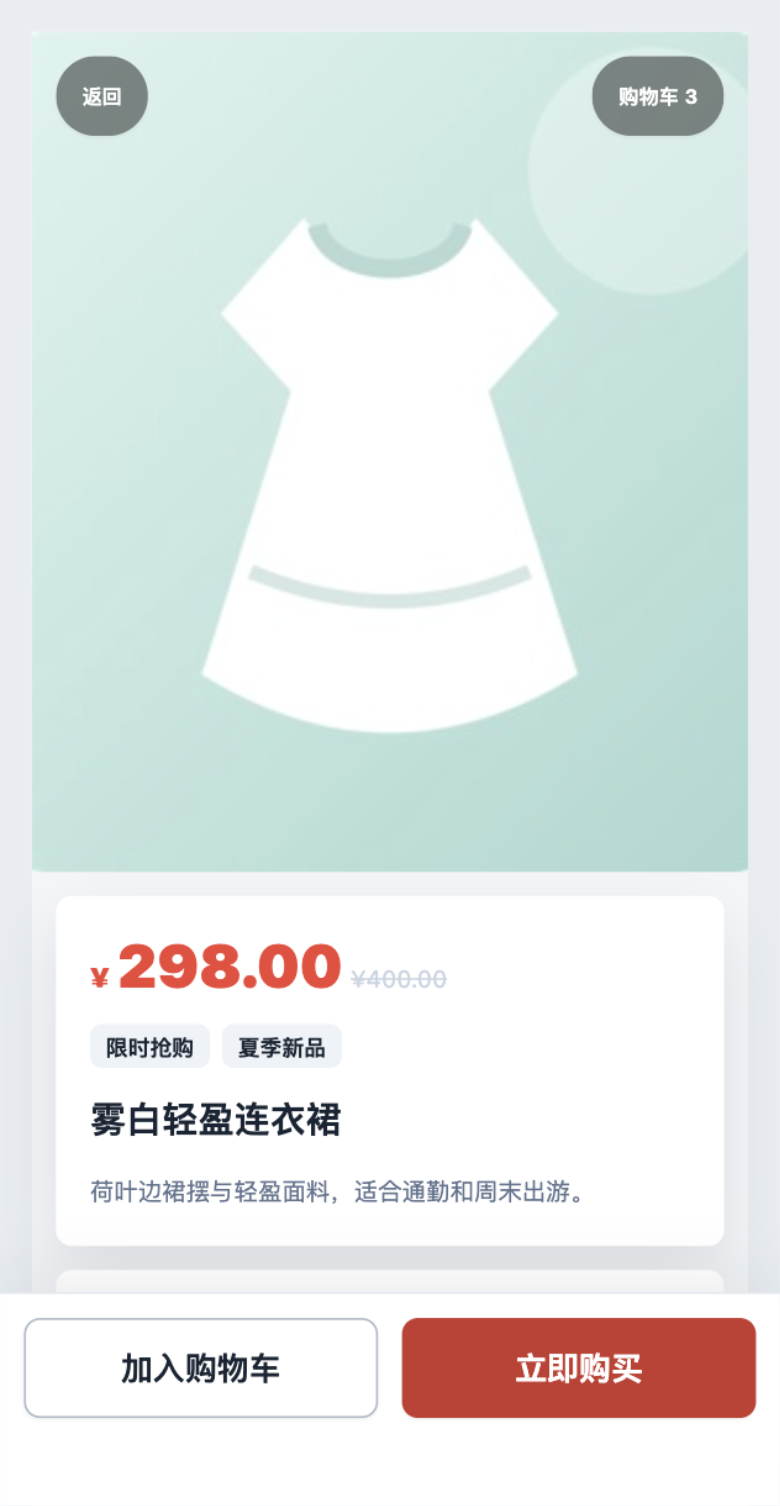
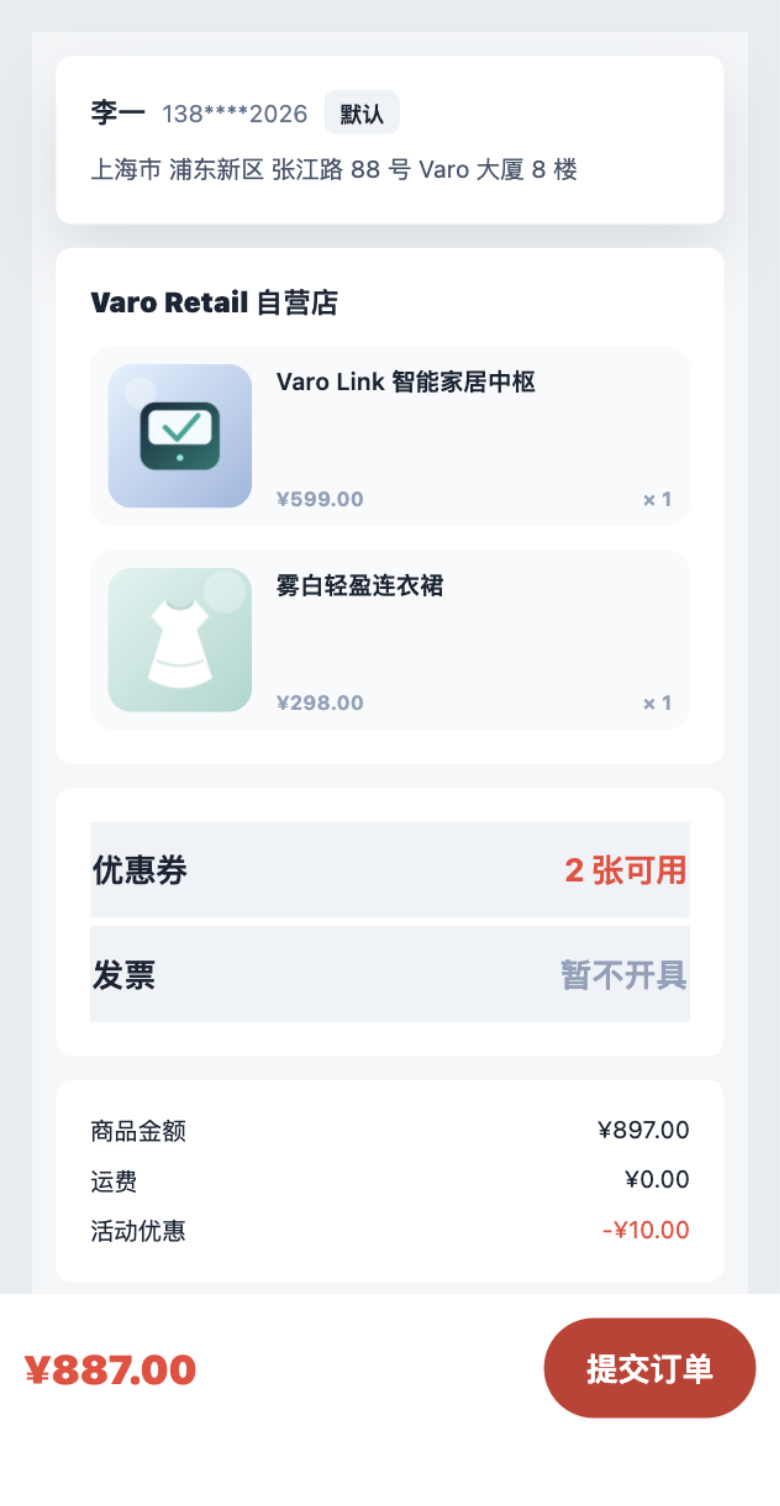
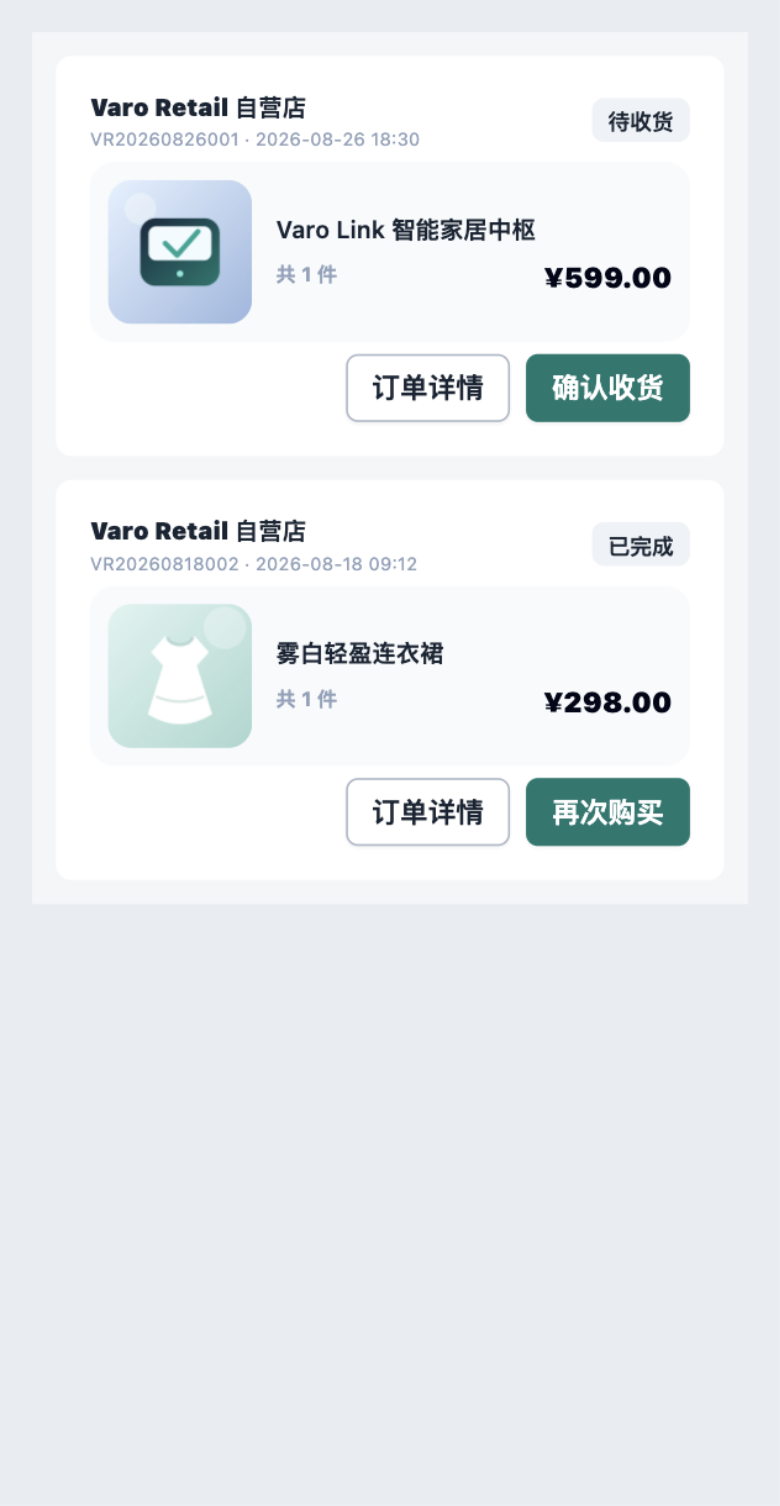
The images below were captured through WeChat DevTools automation from Block pages built by weapp-vite. The evidence snapshot is dated 2026-08-28; inspect the capture script and a representative original image. Every card also links directly to its original image.
Selecting H5 changes the install command and usage code only. When the repository has no published H5 image for that Block, the card continues to identify the image as Weapp DevTools Verified instead of implying that the H5 selector changed it.
REGISTRY BLOCKS
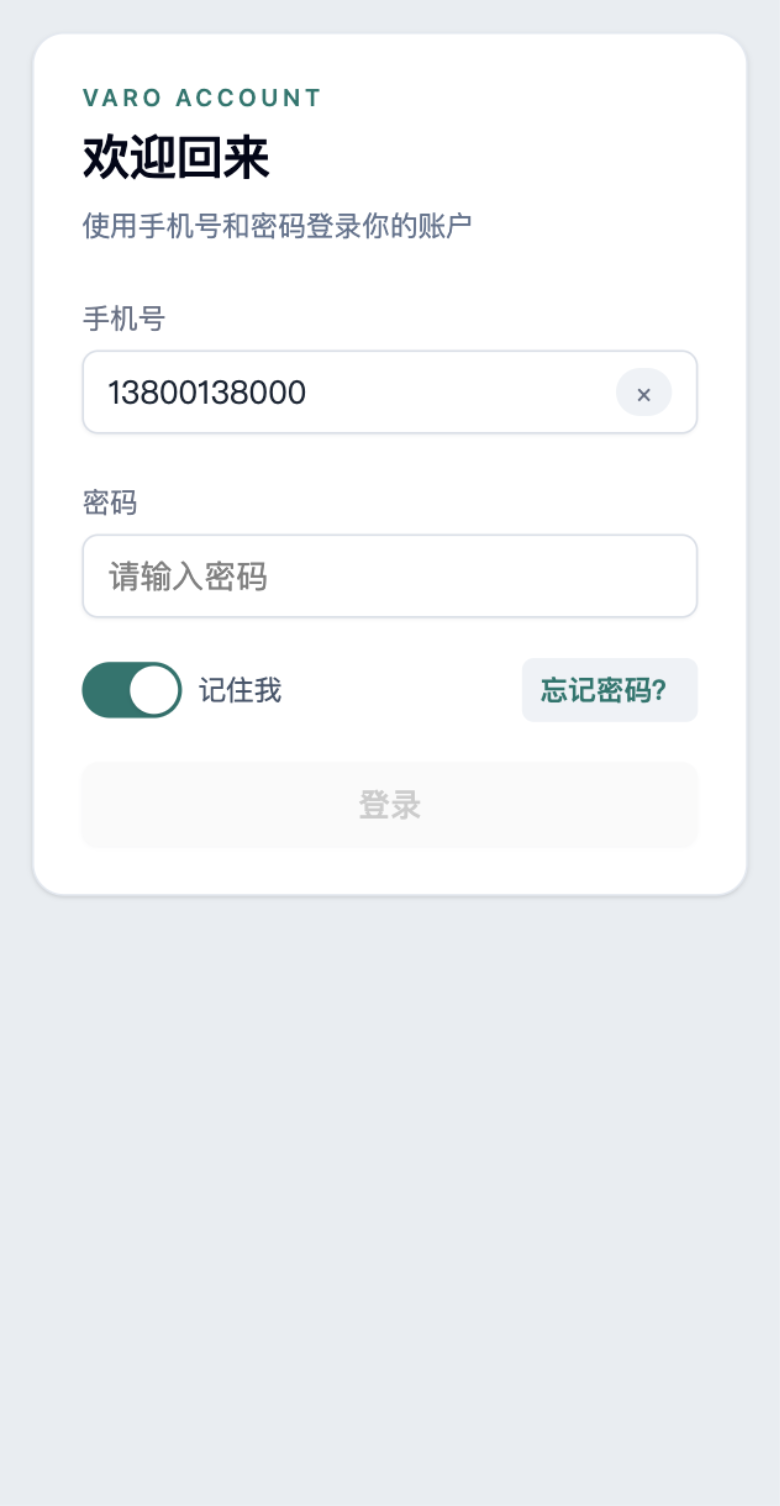
login-formPhone, password, remember, error, and loading states.
pnpm dlx @varo-ui/cli add --target weapp blocks/login-formsrc/components/blocks/login-form.vue<script setup lang="ts">
import LoginForm from '@/components/blocks/login-form.vue'
function handleLogin(credentials: unknown) {
console.log(credentials)
}
</script>
<template>
<LoginForm @submit="handleLogin" />
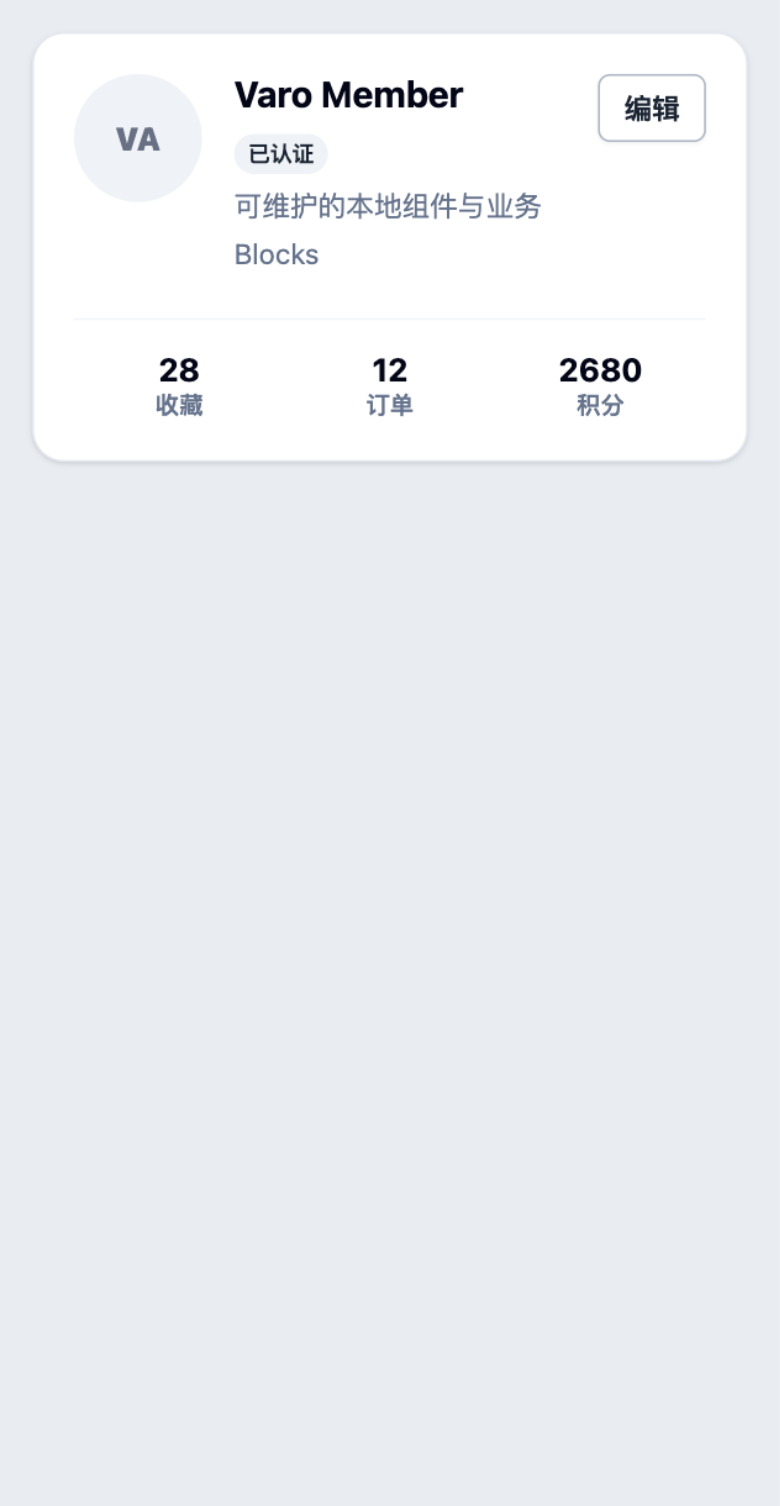
</template>profile-cardAvatar, identity status, statistics, and edit action.
pnpm dlx @varo-ui/cli add --target weapp blocks/profile-cardsrc/components/blocks/profile-card.vue<script setup lang="ts">
import ProfileCard from '@/components/blocks/profile-card.vue'
const user = { name: 'Varo User', status: 'Active' }
const stats = [{ label: 'Orders', value: 12 }]
function openEditor() {}
</script>
<template>
<ProfileCard :user="user" :stats="stats" @edit="openEditor" />
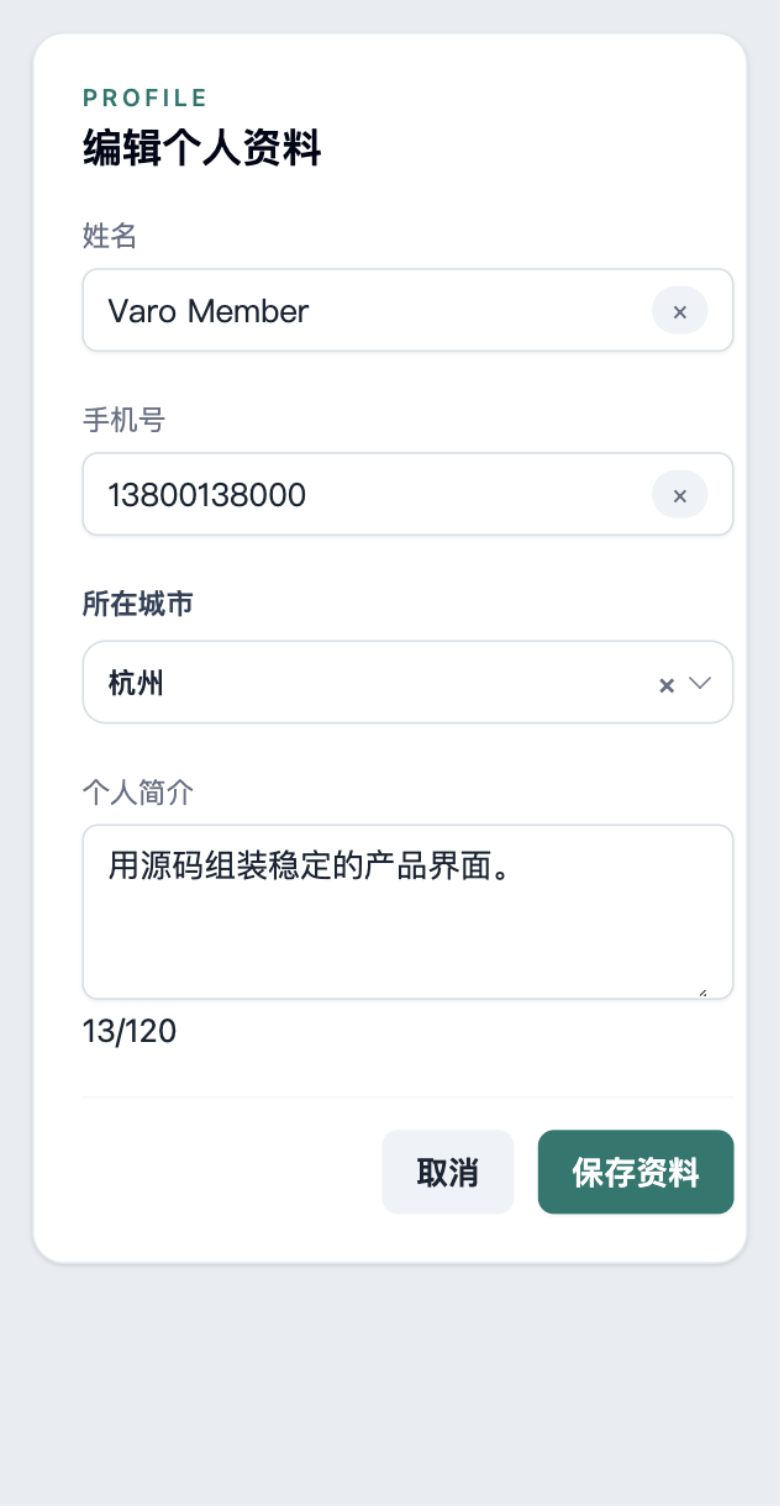
</template>profile-editName, phone, searchable city, biography, and submit state.
pnpm dlx @varo-ui/cli add --target weapp blocks/profile-editsrc/components/blocks/profile-edit.vue<script setup lang="ts">
import ProfileEdit from '@/components/blocks/profile-edit.vue'
const cities = [{ label: '杭州', value: 'hangzhou' }]
function saveProfile(profile: unknown) {
console.log(profile)
}
</script>
<template>
<ProfileEdit :cities="cities" @submit="saveProfile" />
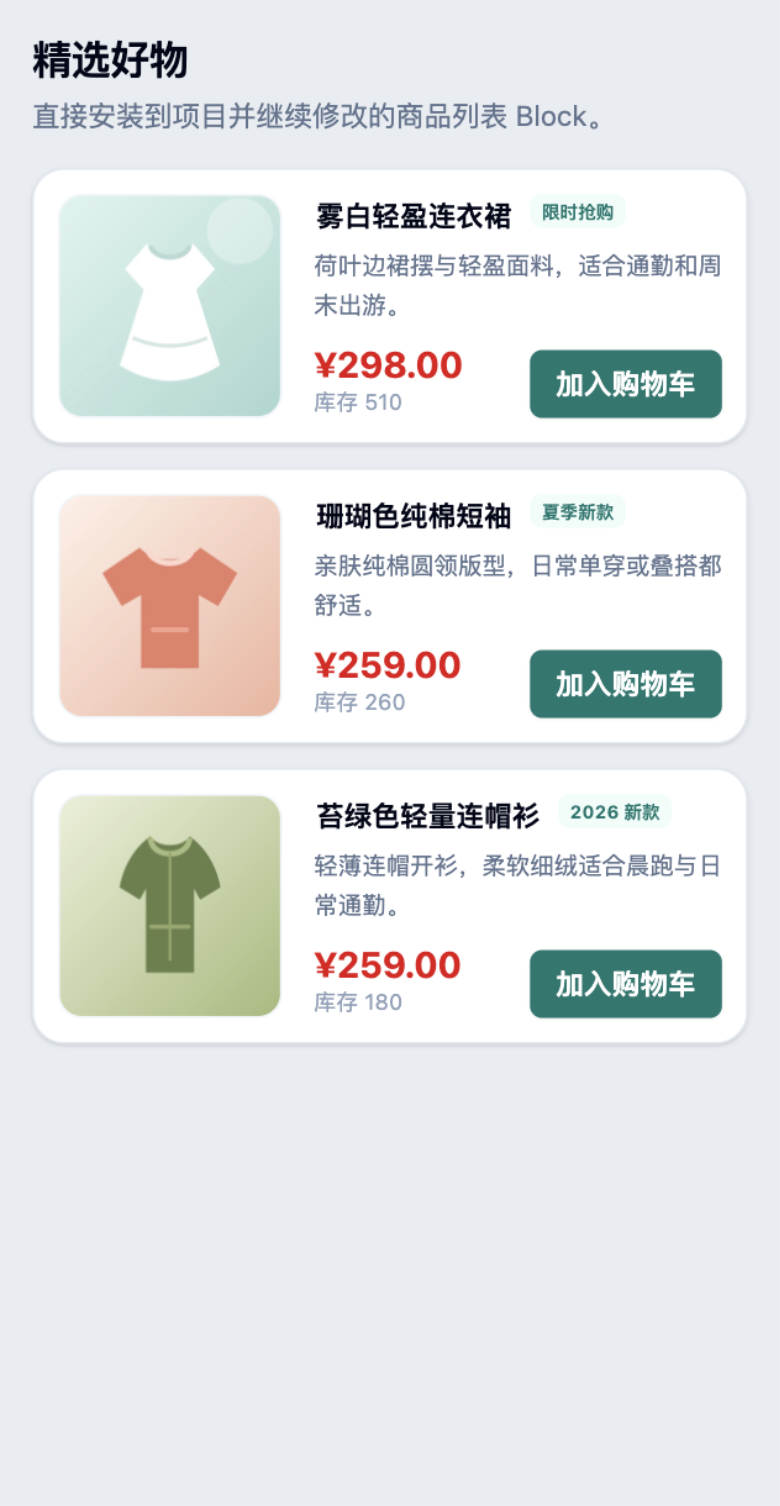
</template>product-listProducts, inventory, pricing, empty state, selection, and cart actions.
pnpm dlx @varo-ui/cli add --target weapp blocks/product-listsrc/components/blocks/product-list.vue<script setup lang="ts">
import ProductList from '@/components/blocks/product-list.vue'
const products = []
function addToCart(payload: unknown) {
console.log(payload)
}
</script>
<template>
<ProductList :items="products" @add-to-cart="addToCart" />
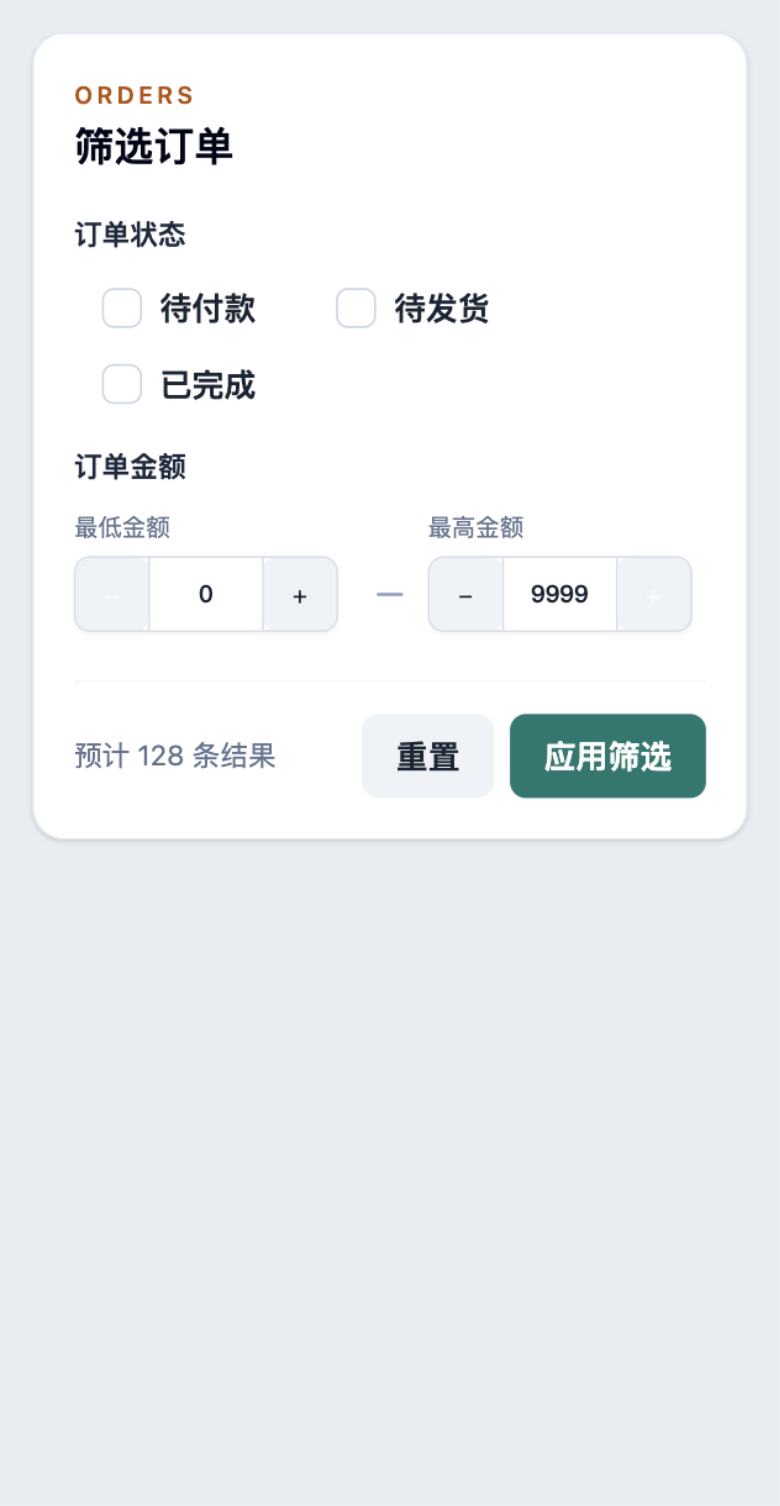
</template>order-filterStatus selection, amount validation, reset, and apply events.
pnpm dlx @varo-ui/cli add --target weapp blocks/order-filtersrc/components/blocks/order-filter.vue<script setup lang="ts">
import OrderFilter from '@/components/blocks/order-filter.vue'
function loadOrders(filters: unknown) {
console.log(filters)
}
</script>
<template>
<OrderFilter :result-count="128" @apply="loadOrders" />
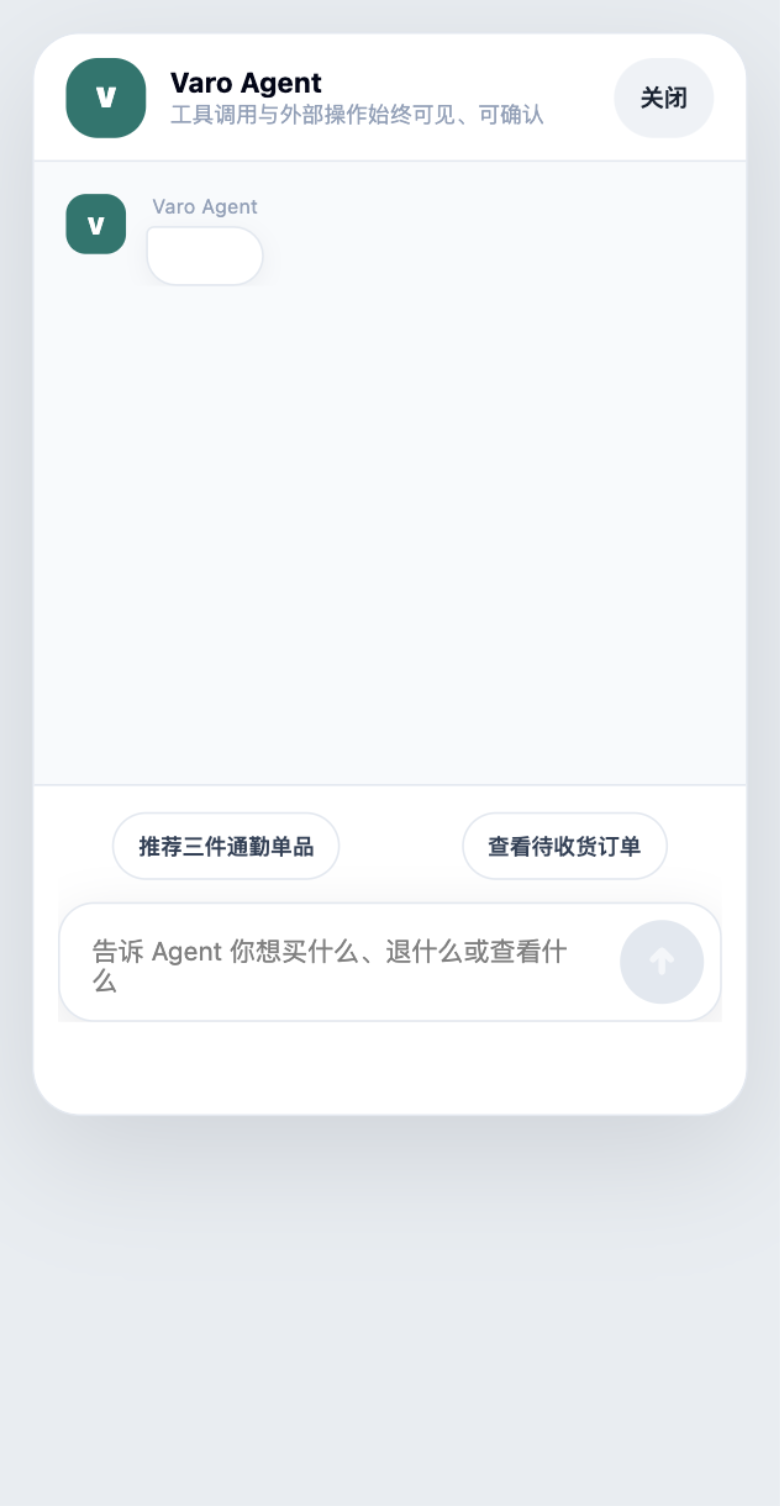
</template>agent-chatIncremental Markdown, tool state, approvals, and composer.
pnpm dlx @varo-ui/cli add --target weapp blocks/agent-chatsrc/components/blocks/agent-chat.vue<script setup lang="ts">
import AgentChat from '@/components/blocks/agent-chat.vue'
const messages = [{ id: 'welcome', role: 'assistant', content: '你好' }]
function runAgent(prompt: string) {
console.log(prompt)
}
</script>
<template>
<AgentChat :messages="messages" @submit="runAgent" />
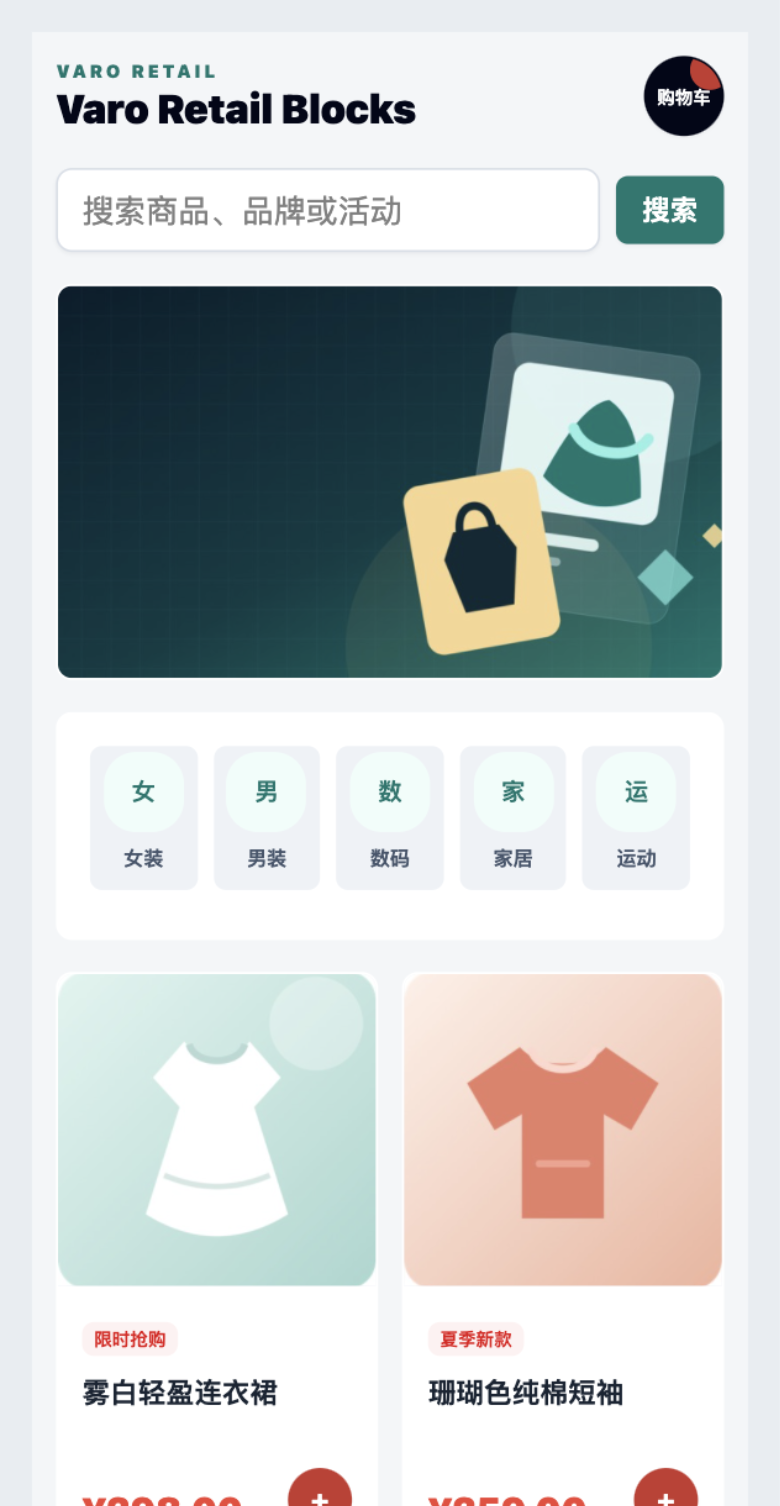
</template>retail-homeSearch, categories, featured products, and cart entry.
pnpm dlx @varo-ui/cli add --target weapp blocks/retail-homesrc/components/blocks/retail-home.vue<script setup lang="ts">
import RetailHome from '@/components/blocks/retail-home.vue'
const categories = []
const products = []
</script>
<template>
<RetailHome :categories="categories" :products="products" />
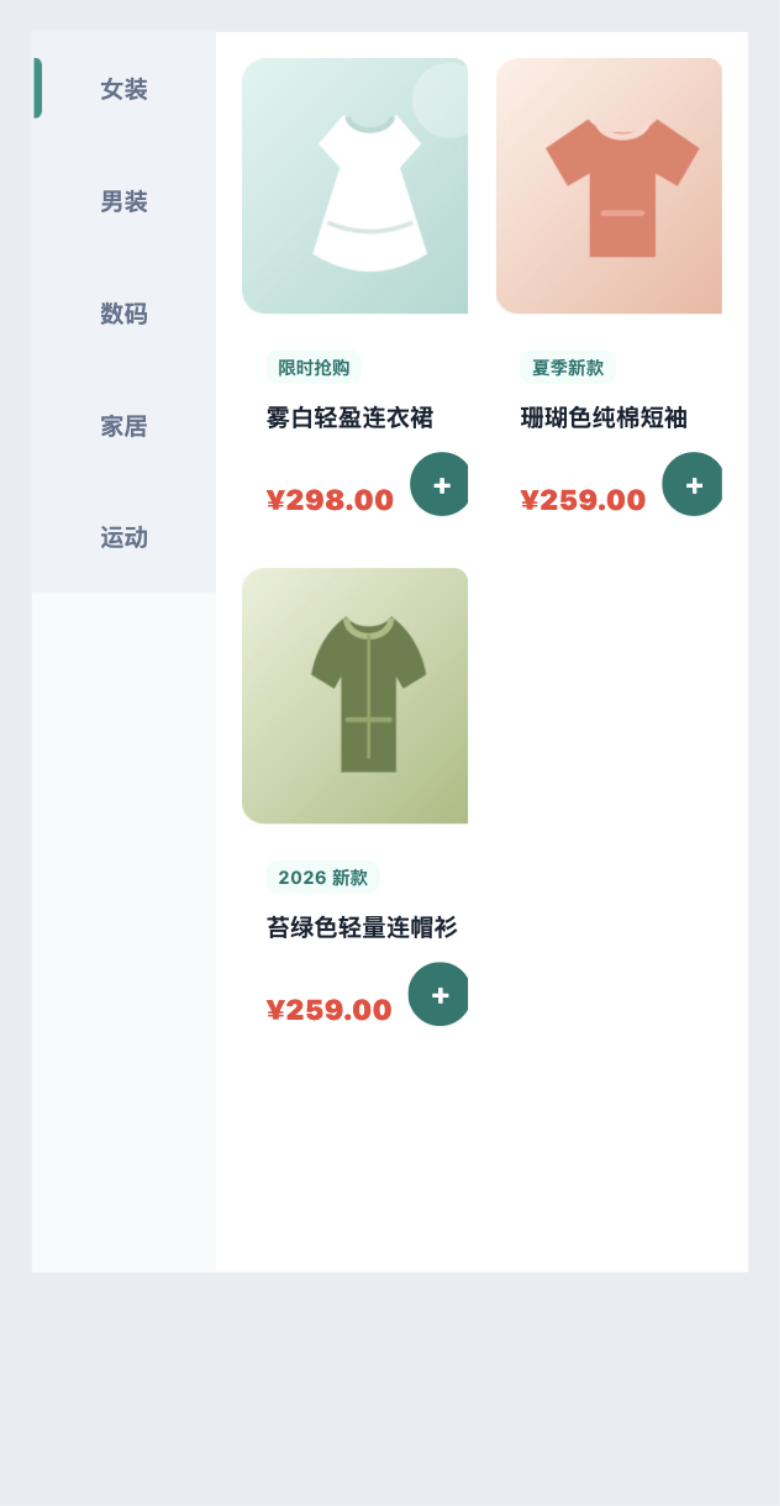
</template>retail-categoryTwo-column category navigation, product grid, and cart actions.
pnpm dlx @varo-ui/cli add --target weapp blocks/retail-categorysrc/components/blocks/retail-category.vue<script setup lang="ts">
import { shallowRef } from 'wevu'
import RetailCategory from '@/components/blocks/retail-category.vue'
const activeId = shallowRef('women')
const categories = []
const products = []
</script>
<template>
<RetailCategory v-model:active-id="activeId" :categories="categories" :products="products" />
</template>retail-cartSelection, quantity, totals, empty state, and checkout.
pnpm dlx @varo-ui/cli add --target weapp blocks/retail-cartsrc/components/blocks/retail-cart.vue<script setup lang="ts">
import RetailCart from '@/components/blocks/retail-cart.vue'
const cartItems = []
const total = 0
function checkout() {}
</script>
<template>
<RetailCart :items="cartItems" :total="total" @checkout="checkout" />
</template>retail-product-detailProduct image, pricing, stock, quantity, cart, and buy actions.
pnpm dlx @varo-ui/cli add --target weapp blocks/retail-product-detailsrc/components/blocks/retail-product-detail.vue<script setup lang="ts">
import { shallowRef } from 'wevu'
import RetailProductDetail from '@/components/blocks/retail-product-detail.vue'
const quantity = shallowRef(1)
const product = {}
</script>
<template>
<RetailProductDetail v-model:quantity="quantity" :product="product" />
</template>retail-checkoutAddress, products, coupons, invoice, totals, and order submission.
pnpm dlx @varo-ui/cli add --target weapp blocks/retail-checkoutsrc/components/blocks/retail-checkout.vue<script setup lang="ts">
import RetailCheckout from '@/components/blocks/retail-checkout.vue'
const address = {}
const items = []
const total = 0
function submitOrder() {}
</script>
<template>
<RetailCheckout :address="address" :items="items" :total="total" @submit="submitOrder" />
</template>retail-order-listOrder status, product summaries, and fulfillment actions.
pnpm dlx @varo-ui/cli add --target weapp blocks/retail-order-listsrc/components/blocks/retail-order-list.vue<script setup lang="ts">
import RetailOrderList from '@/components/blocks/retail-order-list.vue'
const orders = []
function handleOrder(order: unknown) {
console.log(order)
}
</script>
<template>
<RetailOrderList :orders="orders" @action="handleOrder" />
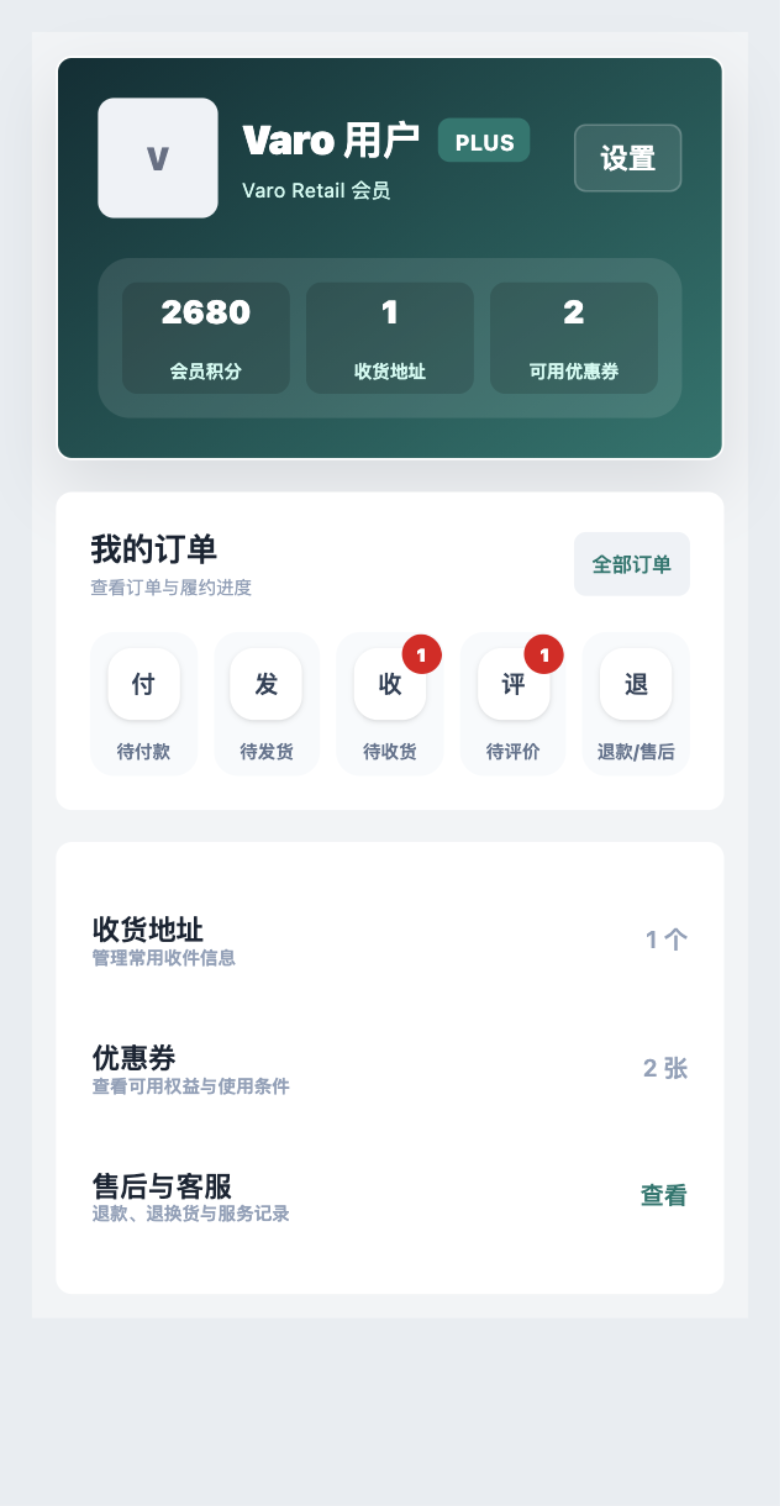
</template>retail-profileMembership, orders, addresses, coupons, and service entry.
pnpm dlx @varo-ui/cli add --target weapp blocks/retail-profilesrc/components/blocks/retail-profile.vue<script setup lang="ts">
import RetailProfile from '@/components/blocks/retail-profile.vue'
const orderCounts = {}
</script>
<template>
<RetailProfile name="Varo User" :points="2680" :order-counts="orderCounts" />
</template>H5 Live: real browser components and interactions on this pageWeapp Contract Preview: a browser-rendered target contract, not the WeChat runtimeWeapp DevTools Verified: DevTools evidence from a compiled mini-program pageweapp-vite owns component JSON, complex list keys, generated types, and target output; wevu is the runtime peer for @varo-ui/weappweapp-tailwindcss translates classes in the build chain; native hover-class provides mini-program pressed feedback